Blogs
Blogs
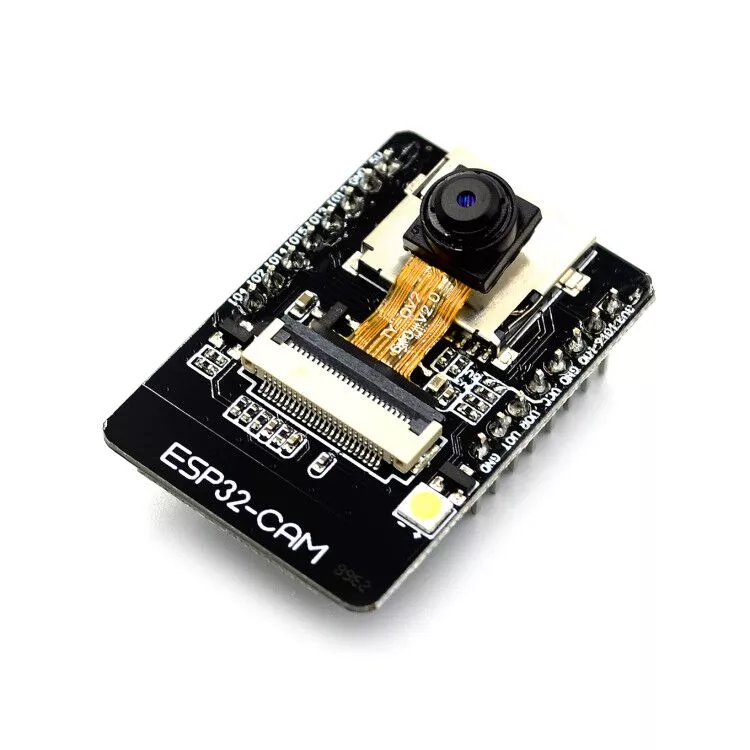
ESP32 cam tutorial: Setup a 5$ live streaming camera for your house with esphome
Yes you can monitor your house with live streaming for only 5$. How? In this article, I will show you my test with esp32 camera. In addition, you will see how to configure it using esphome. Finally, I will show you how to connect esp32 cam to home assistant. Requirements Before starting the tutorial, you should have these materials. Aliexpress: ESP32-Cam: Buy it here Jump wires FDTI: Buy it here If you find any problem during this tutorial: Please leave a commment and I will reply very soon!
HAProxy LetsEncrypt Docker Tutorial: Create and Renew HTTPs Certificates for free
If you are looking to secure your website/API for free and found yourself on this page, that means you are on the good path :) Securing pages are required for security reasons, but also improve your ranking on search engines and can impact your social visibility. This tutorial will show how to secure a golang API using HAProxy and letsencrypt. What’s LetsEncrypt LetsEncrypt is a free certificate authority launched on 2016.
How to connect ESP32 to home assistant in 5 minutes
How to connect ESP32 configured with ESPhome to home assistant. In the last article, we’ve seen how to configure an ESP32 chip with ESPhome and how to connect it to Xiomi Mijia thermometer. Now, we will discover how to have a good graphical interface to monitor the temperature of the room. What is home assistant? Home assistant is an open source software that let you monitor IoT devices in your home.
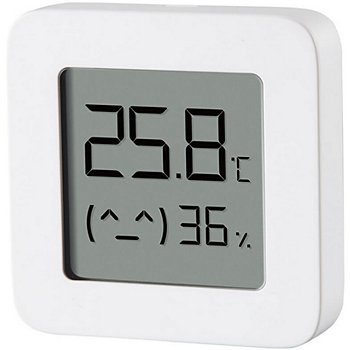
Esphome Tutorial: for 4$ monitor your home temperature with esp32 and xiaomi mijia
We live in a world where everything is connected. One day, I wanted to know the temperature of my house when I’m outside to check if the heating regulator is working or not. Already having a bluetooth Xiaomi Mijia lywsd03mmc thermometer, I was looking for something cheap and tiny to do connect to the thermometer and do the job. I did some research and found a chip called ESP32. This chip has integrated bluetooth and WIFI.
Align div to the bottom of the page in 3 steps
Aligning an element at the bottom of the page is a very common issue in web development and css. You will find the best practices for aligning the div at the bottom of the page. Step 1 : Setting the parent position to relative. If you want to align a div at the bottom of a parent div, the parent should have a position : relative. <style> .parent { position: relative; /* Set parent position to relative */ } </style> <div class="parent"> <div class="bottom"></div> </div> Step 2 : Setting the div position to absolute.
Srcset Tutorial : Responsive Image HTML
Responsive images are images that adapt to the width of screen to fit it perfectly and to improve the performance of the site. If you like this post feel free to share it with your colleagues. Why reponsive images? I’m pretty sure that, until now, all the images you have inserted in your websites looks like this: <img src="imageURL" width="360px" height="auto" max-width="100vw" /> Let’s say the image has 1024px width : 768px height.
How to create a sliding menu bar
In this tutorial, I will show you how to create a sliding left panel easily using css and javascript only. <div class="container"> <div class="slider open">Left Panel</div> <button class="toggle-button" onclick="toggleSlider()">< Close</button> </div> <script> function toggleSlider () { var slider = document.querySelector('.slider') var buttonSlider = document.querySelector('.toggle-button') if (!slider.classList.contains('open')){ slider.classList.add('open') buttonSlider.innerHTML = '< Close' } else { slider.classList.remove('open') buttonSlider.innerHTML = '> Open' } } </script> <style> .container{ position: relative; width: 400px; height: 400px; background: #145677; } .
How to center a element inside div with css
Centering elements inside div is a common problem in web development. In this post I will explain a very easy solution for this that works always. Before centering Let’s say we have those 2 containers. <div class="container"> <div class="center-element"></div> </div> <style> .container { width: 300px; height: 300px; background: red; } .center-element { width: 200px; height: 200px; background: yellow; } </style> Centering the element The easiest way is to use the flex display that handles the centering in very good way.

Docker Compose Nginx Tutorial
1. What is nginx? Nginx is a reverse proxy, HTTP cache and load balancer. It aims to enhance performance by using less memory. Nginx is event-driven. That measns it uses one thread to receive requests, then it dispatch it to one or multiple threads asynchronously. In this post, you will learn how to deploy a load balancer using nginx in docker. 2. Requirements Docker Docker compose For this tutorial, you need a linux machine.
Monitor your applications easily with Grafana and Prometheus
1. What is Prometheus & Grafana? Prometheus is a monitoring system which collects metrics from applications easily. Grafana is a user-friendly visualization project which transforms the metrics collected before into amazing charts. In this article, you will learn how to connect prometheus to grafana using a docker compose file. 2. Requirements Install docker Install docker compose Golang >= 1.08 3. Create your application If you want to get metrics from your application, the first step is to add prometheus to your application code.